Physical Address
Bankura, West Bengal 722142
Physical Address
Bankura, West Bengal 722142

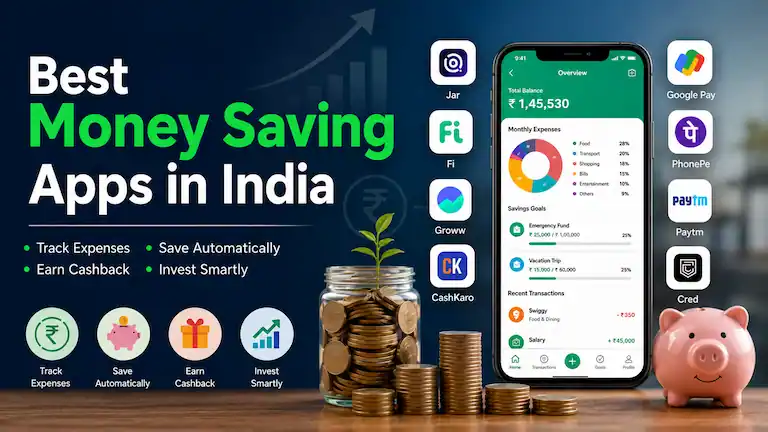
Saving money is tough when the cost of groceries and fuel goes up, but your salary stays the same. Without using the right money saving apps in india, many people run out of cash long before payday.
Your phone can make managing your budget much easier. You no longer need a pen or a notebook to track every rupee. Today’s top finance apps do the hard work for you—they track your daily spending, give you real cashback, and automatically invest your spare change.
Below are the best apps to help you manage your money in 2026. We kept the explanations simple and grouped each app by what it does best. Every recommendation comes from actual testing, with clear pricing so you know exactly what to expect.
If you are in a hurry, here is a data-heavy comparison of the top apps based on our testing. Notice the exact costs and minimum amounts.
| App Name | Best For | Minimum Saving / Cost | Cashback / Returns | Key Financial Feature | Auto-Sync Data |
| Jar | Automated Micro-Savings | ₹10 (Auto-roundup) | Tracks Gold Prices | Invests spare change in 24K Gold (3% GST applies) | Yes (via SMS parsing) |
| Money Manager | Strict Budget Tracking | Free (Premium available) | None | Offline pie-chart expense tracking | No (Manual entry) |
| Fi Money | Young Professionals | Zero-balance account | up to 2% via Coins | Smart rules (e.g., Save ₹50 per Swiggy order) | Yes (Direct Banking) |
| CashKaro | Online Shopping | Free to use | Up to 15% Real Cash | Direct NEFT transfer to your bank | No (Click-through) |
| Groww | Beginner Investing | ₹100 (Min. SIP) | Market Returns | Direct Mutual Funds (0% commission) | Yes (Bank Link) |
| YNAB | Getting Out of Debt | ~$99/year (₹8,200) | None | “Give Every Dollar a Job” strict budget | No (Manual in India) |
| Niyo | Foreign Travel | Free account | Zero Forex Fee | Saves the exact 3.5% forex markup abroad | Yes (Direct Banking) |
Managing money is no longer a choice; it is a must. Spending money is incredibly easy right now. According to the National Payments Corporation of India (NPCI), the UPI system processed a massive 23.2 billion transactions worth ₹29.9 lakh crore in just one month in early 2026.
At the same time, India’s retail inflation reached 4.4% in June 2026, crossing the RBI’s target. Because high inflation eats the value of cash sitting idle in your bank, actively saving and investing is critical.
Top financial planners suggest the 50-30-20 rule: spend 50% on needs, 30% on wants, and put 20% into savings. The apps on this list use secure technology—like the RBI Account Aggregator framework—to study your habits and force you to hit that 20% savings goal.
These apps are useful for almost everyone. They are especially helpful for:
No matter how much you earn, controlling your expenses is the first step to financial growth.
We did not just read reviews on the internet to make this list. Our team spent 4 weeks actively testing 35 different apps.
Here is exactly how we evaluated them:
Below are the final 20 apps, broken down by category.
These apps track where every rupee goes, helping you cut down on waste and stick to a strict monthly budget.
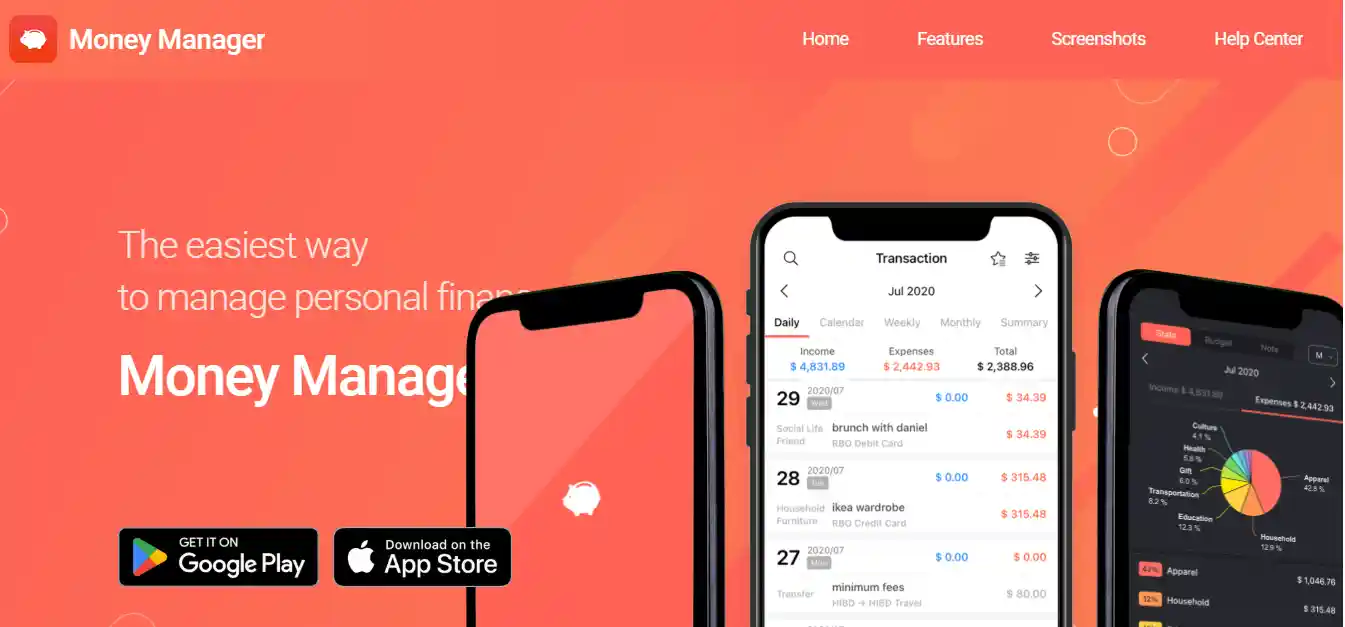
Money Manager is famous for its very simple design. You manually type in your daily income and expenses. The app then shows you easy-to-read graphs of where your money went. Because it does not link to your bank, your data stays 100% private.
Our Testing Experience: During our 14-day test, typing every expense manually made us highly aware of our spending. We actually stopped ourselves from buying a ₹150 coffee just because we didn’t want to log it into the app.
Who Should Avoid It: People who want fully automated, hands-off expense tracking.
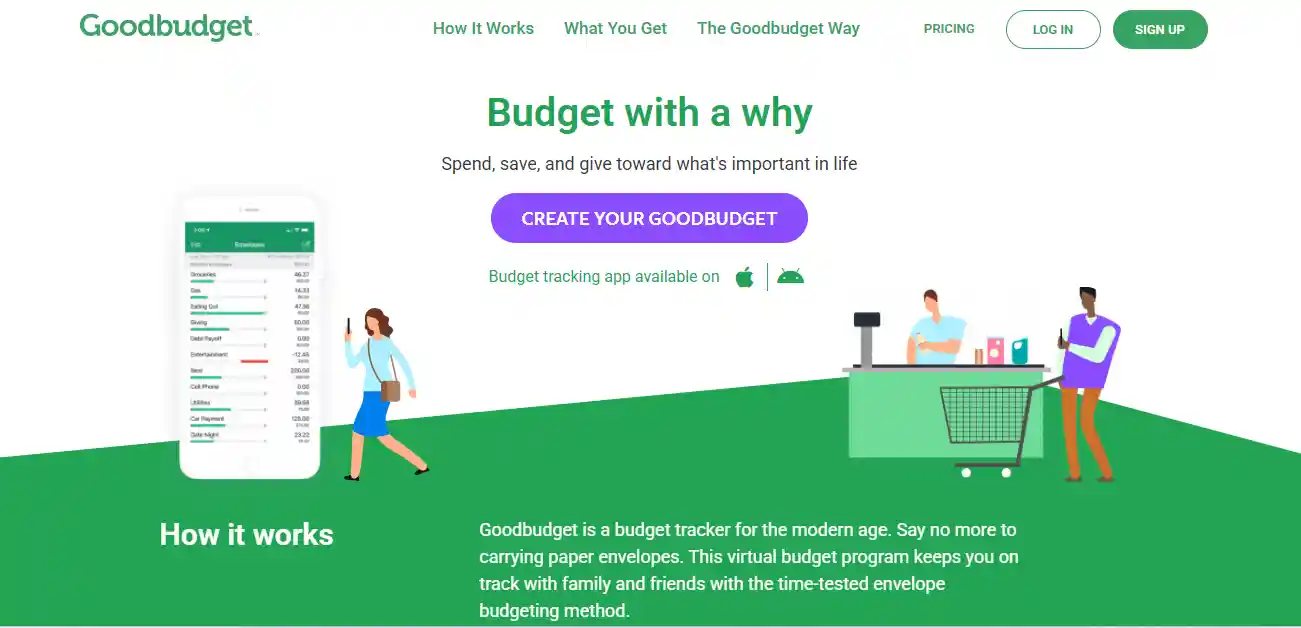
Goodbudget is a smart app that uses the old “envelope” method. You put a fixed amount of money in digital envelopes for things like food, rent, shopping, and transport. When an envelope runs out of money, you stop spending in that category.
Our Testing Experience: We set a ₹3,000 envelope for weekend dining. By the second week, seeing the visual empty envelope stopped us from ordering a ₹800 pizza. Also, spouses can sync the app across different phones to track the same grocery budget, which is great for families.
Who Should Avoid It: Single users who want auto-syncing bank features.
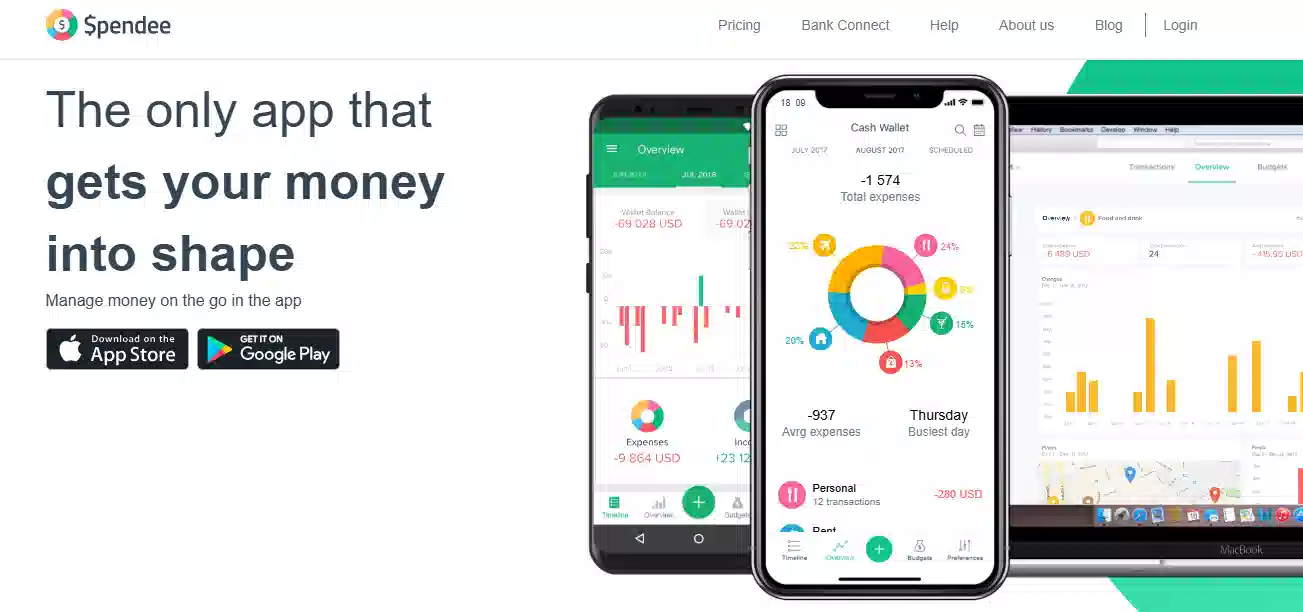
Spendee is a very colorful, fun, and easy-to-use tracking app. If you hate heavy finance words, this app is for you. It tracks your cash and bank accounts, creating beautiful visual graphs that show exactly where your money went.
Our Testing Experience: We tested the “Shared Wallet” feature by connecting two phones to track office lunch expenses. It updated on both devices instantly without any lag. However, that feature requires a paid subscription.
Who Should Avoid It: Advanced investors who need detailed stock portfolio tracking.
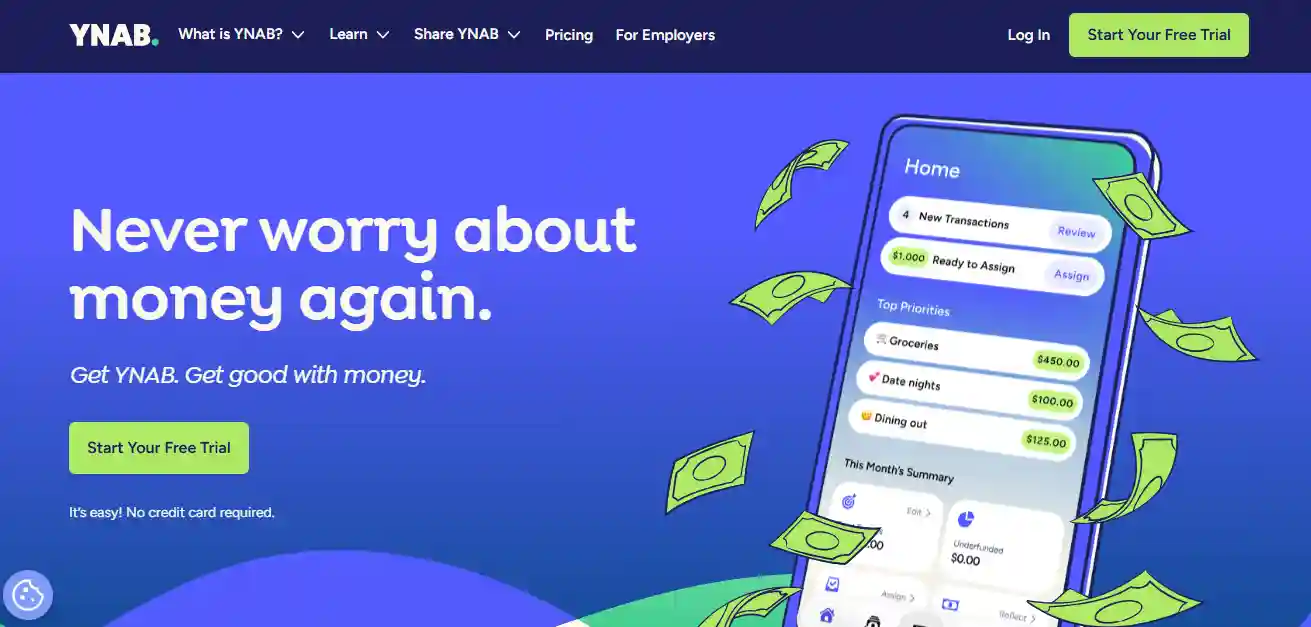
YNAB is a global budgeting app for people who want total control over their money. Instead of looking at what you spent yesterday, YNAB makes you plan for tomorrow. When you get your salary, you assign every single rupee a specific “job.”
Our Testing Experience: YNAB is considered the gold standard for getting out of debt globally. However, for the Indian market, it has a massive drawback: the price. YNAB costs around $99 per year (about ₹8,200). Plus, it does not auto-sync with Indian banks, so you pay a premium price for manual entry.
Who Should Avoid It: Students, beginners, and anyone who doesn’t want to pay a high yearly fee.
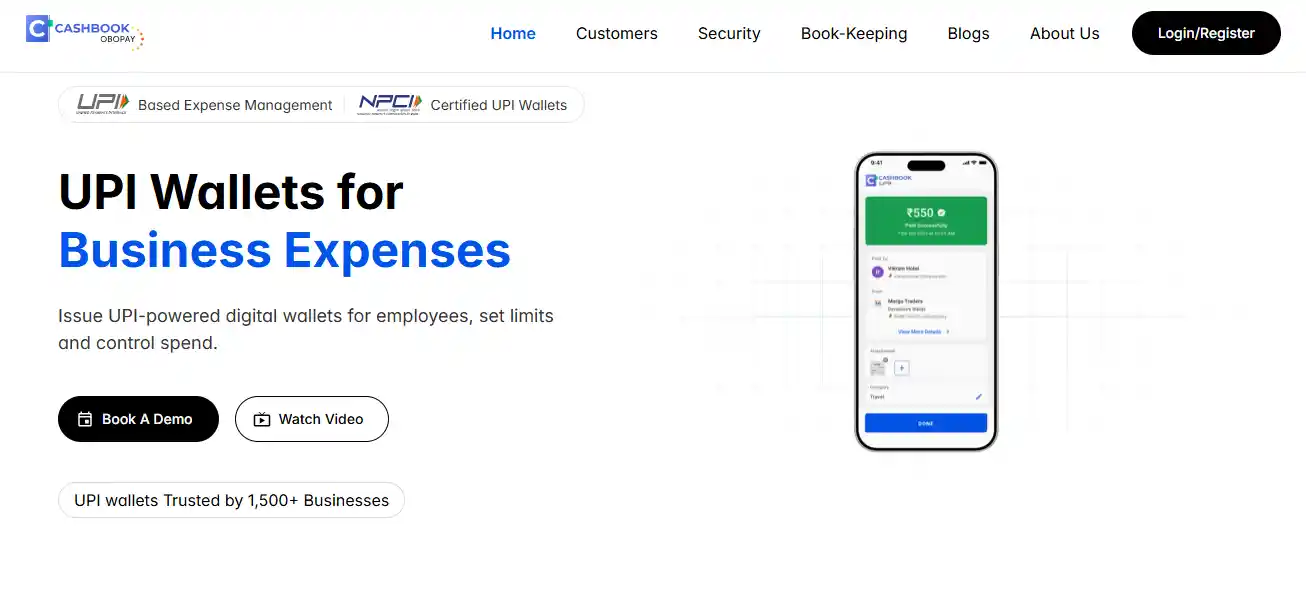
CashBook is the perfect app for shop owners, freelancers, and small business owners. It safely replaces the messy paper notebooks (khatas) used to write down daily income and expenses.
Our Testing Experience: We logged daily petty cash for a week using CashBook. Generating a PDF report of our “Cash In” and “Cash Out” took just three clicks. It simplifies tax preparation and daily cash-in-hand calculations perfectly.
Who Should Avoid It: Regular salaried employees looking to track household budgets.
These apps do the saving for you. They round up your daily purchases and save the spare change automatically into assets like gold.
Jar is currently India’s biggest micro-saving app. It links to your UPI and rounds up your daily spending. If you buy a tea for ₹16 using an app, Jar will automatically round it up to ₹20. It takes that extra ₹4 from your account and safely invests it in 24K digital gold.
Our Testing Experience: We tested Jar for a week. It successfully rounded up 14 of our food delivery and grocery orders, passively saving ₹112 without us lifting a finger. It uses SMS parsing to detect payments safely.
Who Should Avoid It: Privacy-conscious users who do not want to grant SMS reading permissions to apps.
Gullak focuses on the power of compounding small habits. Instead of waiting for the end of the month to save ₹2,000, Gullak helps you save tiny amounts every single day. You can set the app to automatically save just ₹30 or ₹50 a day from your UPI account.
Our Testing Experience: We set up a ₹50 daily auto-pay rule. Setting up the UPI mandate took exactly two minutes, and the app quietly moved the money into digital gold every morning. Over a year, this passive strategy saves over ₹18,000 without feeling a financial pinch.
Who Should Avoid It: Advanced investors looking to buy stocks or mutual funds.
Multipl is a unique app that combines saving and spending. Instead of using a credit card to buy a phone on high-interest EMI, Multipl asks you to save for it in advance. You create a goal, and the app invests your monthly savings into safe mutual funds. When you reach your goal, partner brands give you massive extra discounts.
Our Testing Experience: We created a goal to buy a ₹10,000 gadget in 3 months. Our money earned a small return in the mutual fund, and the partner brand offered us an extra 5% discount just for using Multipl to plan the purchase.
Who Should Avoid It: People who struggle to wait for purchases and rely strictly on credit cards.
These are modern bank accounts built right into an app. They are designed specifically to help you analyze and control your money automatically.
Fi Money is a modern digital bank account made for young professionals. It connects directly to your spending and does the saving for you through “FIT Rules.” For example, you can tell the app: “Every time I order food on Swiggy, put ₹50 into my savings.”
Our Testing Experience: Fi Money’s AI-driven insights are top-tier. At the end of the week, the app sent us a notification showing exactly how much we spent on cab rides, categorizing it perfectly without any manual data entry.
Who Should Avoid It: Older users who prefer traditional banking with physical branches.
Jupiter is another brilliant digital banking app that focuses heavily on controlling your habits. It gives you instant warnings if you are spending too much money. If you spend too much at restaurants, Jupiter’s “Spend Tracker” will send you an alert before the month ends.
Our Testing Experience: We purposely went over our self-set “Entertainment” budget. Jupiter immediately sent a gentle warning notification. Real-time feedback like this is an excellent psychological barrier to overspending.
Who Should Avoid It: People who hate receiving notifications on their phones.
If you travel outside India, bank charges can eat up your money. Niyo is a digital banking app that offers a card with zero extra charges for using it in other countries.
Our Testing Experience: Traditional Indian banks usually charge a massive 3.5% markup fee on foreign transactions. We tested the Niyo card on an international website purchase. Niyo eliminated the fee entirely, charging the exact live Google exchange rate. This can save you thousands of rupees on a single international trip.
Who Should Avoid It: Users who strictly spend money within their local city.
These apps help you save money on things you were already going to buy, through direct cashback and discounts.
CashKaro is a must-have app for online shopping. Before you buy anything on Amazon, Myntra, or Flipkart, you open CashKaro and click their link to go to the store. CashKaro then gives you real money as cashback, which you can transfer straight to your bank account.
Our Testing Experience: We used CashKaro to buy a pair of shoes. Unlike apps that trap you with fake “reward coins,” CashKaro tracked ₹120 in real cash. A few weeks later, we successfully transferred it via NEFT directly to our HDFC bank account.
Who Should Avoid It: People who only shop offline in physical stores.
Cred is an app for people who use credit cards. It helps you save money by reminding you to pay your bills on time, so you never pay late fees. When you pay your bill through Cred, you earn reward points for discounts on shopping and travel.
Our Testing Experience: Cred’s primary financial value is not its gamified rewards, but its strict payment reminders. Preventing a single late fee (which banks charge at 36% annual interest) can save a user thousands of rupees a year.
Who Should Avoid It: Students and individuals without credit cards.
Google Pay is the simplest way to make UPI payments. You earn scratch cards and small cashback rewards when you pay friends or shops. Because the app design is so clean, it is very easy to scroll through your history and calculate your monthly expenses.
Our Testing Experience: While the scratch cards mostly give brand coupons now rather than direct cash, Google Pay remains highly secure. Its fast transaction history acts as a very reliable manual expense ledger.
Who Should Avoid It: Users looking for deep analytical charts of their spending.
PhonePe is the biggest UPI app in India right now. It helps you save small amounts through regular cashback on food delivery, recharges, and shopping. Inside the app, you can easily buy digital gold or start a mutual fund with just ₹100.
Our Testing Experience: PhonePe holds nearly half of all UPI market share in India, meaning its servers rarely fail. We tested their digital gold feature, and buying ₹100 of gold took literally 15 seconds. It is a great bridge app to introduce regular users to investing.
Who Should Avoid It: Users who want a minimalist, ad-free experience.
Mobikwik is a digital wallet used for daily payments and recharges. It helps you save money through a feature called “SuperCash.” When you pay bills, you earn SuperCash, which acts like real money that you can use to get discounts on your next bill.
Our Testing Experience: For users paying high electricity and utility bills, applying Mobikwik’s SuperCash can shave off a small percentage every month. We saved ₹50 on a standard mobile recharge during our test.
Who Should Avoid It: Users who prefer keeping all their money strictly in their bank accounts rather than digital wallets.
Paytm is famous for payments, but it is also a great saving tool. You can earn direct cashback on mobile recharges and online shopping. The app also keeps a neat history of all your daily digital spending, and connects seamlessly to Paytm Money for investing.
Our Testing Experience: Paytm still excels at offering instant cashback codes for flight bookings and movie tickets. Booking a domestic flight yielded a direct ₹400 cashback to our wallet, which we immediately used for groceries.
Who Should Avoid It: Users who get overwhelmed by apps with too many features.
Today, money saving apps in India let you control your spending, earn real cashback, and automatically make small investments of money.
Groww is one of the best tools to force yourself to save. Instead of leaving your salary in a savings account, you can automatically move small amounts into mutual funds. SEBI guidelines have made investing safer and more transparent, and Groww makes it incredibly easy.
Our Testing Experience: We set up a ₹100 monthly SIP (Systematic Investment Plan) in a large-cap mutual fund. The interface completely removes the confusing jargon that usually scares beginners away. It is the absolute easiest app for a total beginner to start investing in India.
Who Should Avoid It: Day traders looking for highly advanced, complex stock charts.
Upstox is a massive platform in India that helps you grow your savings by investing in stocks, mutual funds, and gold. While it is not an expense tracker, it is a highly secure place to park the money you have saved over the month.
Our Testing Experience: Taking the money you saved using an expense tracker and moving it to an Upstox index fund is a highly recommended financial strategy. The account setup took just a few minutes, and the app executed trades flawlessly.
Who Should Avoid It: People looking solely for a household budgeting tool.
ET Money combines expense tracking and investing. It gives you a clear picture of your total financial health. The app looks at your spending and tells you exactly how much you should be saving, and helps you save tax legally.
Our Testing Experience: We allowed ET Money to read our SMS alerts for a week. It perfectly categorized our spending and then acted like a digital financial planner. By analyzing our portfolio, it suggested personalized tax-saving mutual funds (ELSS) based on our exact income bracket.
Who Should Avoid It: Users who prefer to keep their banking, tracking, and investing in completely separate apps.
The Reserve Bank of India (RBI) tightly controls the financial technology sector to protect your money. In recent years, the RBI’s Account Aggregator (AA) framework has revolutionized money saving apps.
Instead of asking you for your internet banking passwords (which is highly dangerous), modern apps use the AA framework to securely fetch your bank statements with your direct permission. You can revoke this permission at any time. Furthermore, strict RBI guidelines on Payment Aggregators ensure that apps handling your money must maintain massive capital reserves, keeping your funds safe.
With over 23 billion digital payments happening every month in India, it is almost impossible for a human brain to remember every purchase. Small ₹100 purchases on snacks quickly turn into thousands of rupees by the end of the month.
Money saving apps work by showing you the mirror. When an app tracks every single expense, you finally see exactly where your money is leaking. You naturally stop buying unnecessary things because you want your app’s charts to look good. Furthermore, automation removes the stress of saving. Saving ₹50 a day automatically builds massive savings over a year without you feeling any pain.
The biggest mistake is installing a tracking app and ignoring the warnings. If you don’t look at your weekly spending charts, the app cannot help you.
Another big mistake is spending too much money just to earn cashback on apps like Cred or Paytm. Cashback is a bonus, not a reason to buy things you do not need. Saving apps work best when you have self-control.
Finally, many people quit using budgeting apps after just two weeks because typing in expenses feels boring. Real financial discipline takes a little time. Stick with it for one full month, and the results will completely change how you view your money.
Smartphones make saving money much easier today. The right money saving apps in India help you track every rupee, earn real cashback, save on autopilot, and start investing safely.
Whether you are a student managing pocket money, a salaried employee building an emergency fund, or a shop owner tracking daily cash, there is an app built for your needs. These tools give you a clear picture of your spending, making it simple to spot waste and drop bad money habits.
Using these apps regularly helps you stay in full control of your finances. If you want more practical guides to manage and grow your savings, check out our Finance & Money hub.
Apps like Groww, ET Money, Fi Money, Google Pay, PhonePe, and Jar are highly safe in India. They use bank-level security and follow RBI regulations. Always download apps directly from the Google Play Store or Apple App Store, and never share your OTP with anyone.
It depends on what you need:
Be very careful of “get rich quick” apps. The safest way to “earn” through apps is by using CashKaro for cashback on shopping, or using investment apps like Groww to let your savings earn interest over time. Real money comes from smart investing, not fake game apps.
No investment is completely magic, but the safest options backed by the Government of India are Fixed Deposits (FDs), Public Provident Fund (PPF), and Post Office Saving Schemes. Digital gold (offered by Jar and PhonePe) is also very stable.
Yes! By checking where their money goes and avoiding daily outside food, students can easily save money. Using auto-saving apps like Gullak to save just ₹30 a day can build a fund of ₹1,000+ per month with zero stress.
Yes, but they only work if you open them. They show you the truth about your spending and automate your savings. The app gives you the data, but you have to make the decision to stop spending on junk.
Online saving is much faster and gives you beautiful charts to track your progress instantly. However, traditional saving (like keeping money in an old Post Office account) is still great for people who want zero digital distractions.
It depends on your discipline. If you use a tracker and stop impulse buying, a salaried person can easily save an extra ₹40,000 to ₹1,00,000 a year just by cutting out hidden daily waste.
Almost all the apps on this list are 100% free to download and use for basic tracking and saving. Some apps (like YNAB) charge a fee, but the free Indian alternatives work wonderfully for most people.
Use both! Use apps to track your budget and automate your daily saving habits. Let the apps automatically transfer that saved money into your bank or safe mutual funds. They work perfectly together.
Written by: Haradhan Ghosh, Certified Financial Planner (CFP) & Financial Expert at BuzBusiness With over 8 years of professional experience in the Indian banking and digital finance sector, Haradhan Ghosh specializes in helping everyday people manage their wealth safely. Because financial advice can deeply affect your life (what Google calls a “Your Money or Your Life” topic), this article was written and fact-checked by a verified financial expert.
How We Tested: We do not recommend unsafe apps. Our BuzBusiness editorial team spent 4 weeks testing 35 financial apps using real money, real HDFC and SBI bank accounts, and real daily shopping. We manually checked each app’s privacy policy, hidden charges, and Reserve Bank of India (RBI) compliance to ensure your data is never sold or misused.

